Quick links for cpanel Optimization
https://my.bluehost.com/cgi/help/2521
https://nixcp.com/free-cpanel-plugins/
https://my.bluehost.com/cgi/help/2521
https://nixcp.com/free-cpanel-plugins/
For changing the main/primary domain, you will need to have root SSH access and be able to locate and edit the following file (replacing your user & domain info): /var/cpanel/userdata/USERNAME/DOMAIN.COM 1. Once you have opened the file, look for the following line: documentroot: /home/USERNAME/public_html 2. Modify the location according to your needs. Save it and…
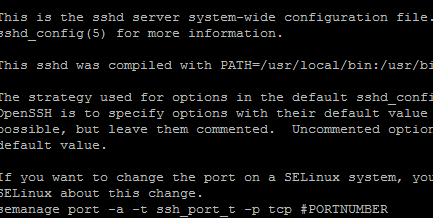
You can set your SSH port through the command line by editing the ssh configuration file ( /etc/ssh/sshd_config ) with this command. Note: if you are runnning a firewall on the server you will want to open the desired port before proceeding. nano /etc/ssh/sshd_config You can now edit the configuration file. It will start something…

In Linux I prefer using smartctl smartctl -i /dev/sda or hdparm -I /dev/sda | grep Serial Megacli RAid card — megacli -PDList -aALL or hdparm -I /dev/sdX | grep -i ‘serial’ Adaptec —- /usr/StorMan/arcconf getconfig 1 ================================ For Windows https://whatsonmypc.wordpress.com/2011/09/01/wmic/ If you have many hard drives like me, use this instead to help you know…
http://www.wikihow.com/Find-a-File-in-Linux find / -type f -iname “libphp5.so” find / -type d -iname “ibdata1” find / -type f -iname “*arcconf” grep -R ‘AllowNoPassword’ / egrep ‘User’ /etc/apache2/apache2.conf grep DocumentRoot /etc/apache2/apache2.conf To find files larger than 100MB, use this command: find / -type f -size +100000k -exec du -h {} \; Search within files for specific text:…
Unfortunately due to the limited availability of IP addresses sometimes they are re-used from sources that have been black listed in the past. Generally blacklists are updated within 30 days of an IP not being reported for spam. However many services like Microsoft, Google, Yahoo and others, have taken to using their own systems…
https://100tb.com/community/knowledgebase/display/HOW/Configuring+SMTP+Relay+Server Key points of trouble– Make sure the hostname on each server and relay is different and had correct DNS records. Make sure that you have added a valid SPF records for every domain as described in our article.